%201%20(1).png)
AI Tools for Designers: Google Stitch and Lovable
A few years ago, AI development wasn’t as widespread as it is today. We can see that AI output was still very simple and rudimentary. However, it has evolved much faster than we could have imagined.
What Can AI Do?
Nowadays, a plethora of AI tools are emerging that can create designs, ranging from static images and 3D, animation, and vectors. On the one hand, this AI development can certainly increase the efficiency and effectiveness of our work as designers. However, if we don’t use AI effectively, we as designers will easily be replaced by designers who can effectively use it.
One of the skills we must master and hone in this AI era is prompting, or giving commands to AI. The quality of an Al’s output depends heavily on the prompts we give it.
Among the many AI tools available today, I will discuss several that we can use and utilize to assist our work as designers.
1. Google Stitch
Not long ago at its latest event, Google introduced its newest product, namely Google Stitch. By using Google Stitch, we can create an early UI/UX concept or idea by using prompts.
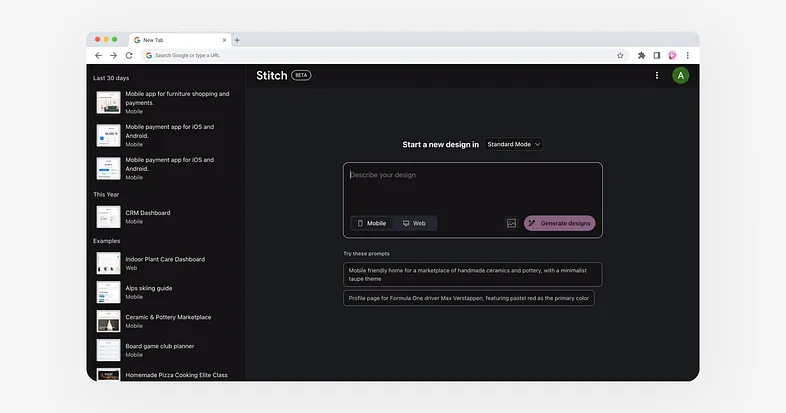
Currently, there are only two modes available:
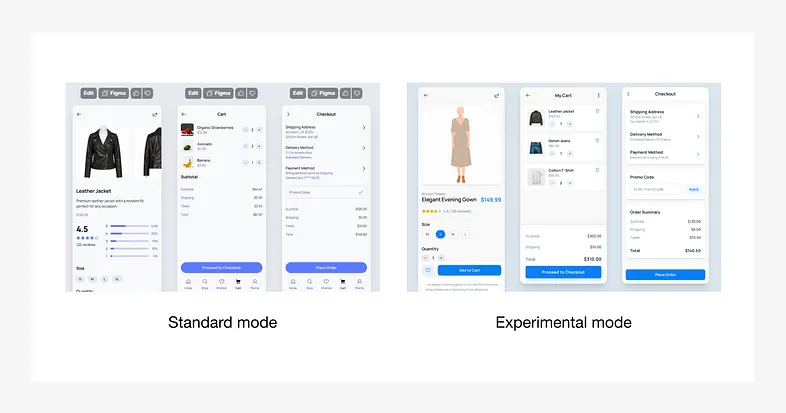
- Standard mode
This mode produces designs faster and allows us to copy the files to Figma. The downside of this mode is that the resulting designs are still basic. - Experimental mode
This mode uses a higher version of AI, so the resulting designs are quite good. The downside is that we can’t copy them to Figma, at least for now.
2. Lovable
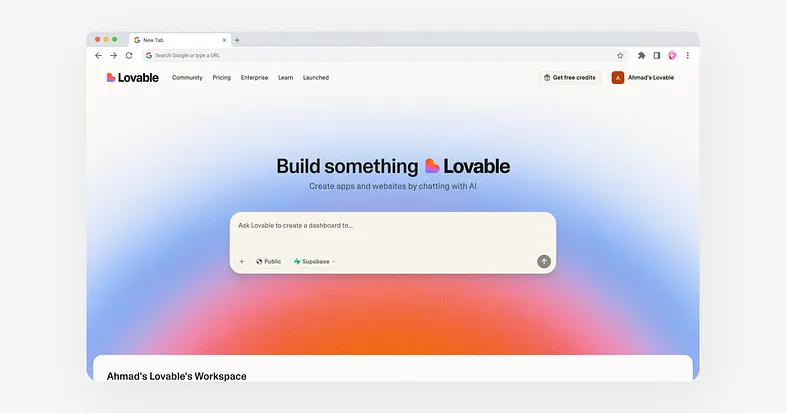
Lovable is an AI tool that allows you to create apps and websites directly using chat with AI.
Unlike Figma, Lovable produces app and website designs that are not only static but also usable live. The entire process is done directly through chat with AI.
Advantages:
- Create apps or websites simply by chatting. Familiar to users who frequently use GPT chat.
- Can be integrated with a database (Supabase).
- Supports importing existing designs from Figma.
- We can publish it immediately after the website is finished.
Disadvantages:
- Currently, when we import designs from Figma, the results are not as good or exactly the same as the designs in Figma. We need to adjust them/
- The resulting designs still need improvement.
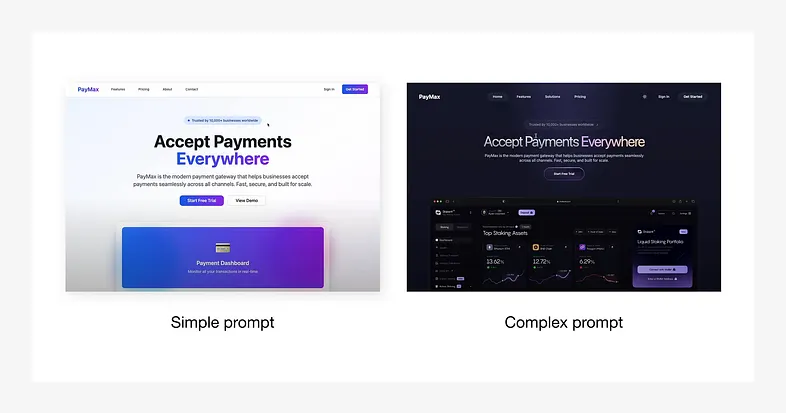
As I mentioned above, the quality of AI output is highly dependent on the prompts or commands we give it, and this also applies to Lovable.
Please see the image below, the image is a comparison between the design results with a simple prompt and the design results from a detailed and complex prompt that we gave to AI.
Other Alternative Tools
Besides the two tools I mentioned above, Figma Make might be an alternative tool for creating apps or websites with AI. We simply need to enter a command prompt to generate an app. Furthermore, if you’re familiar with Figma, you can use Figma Make for prototyping.
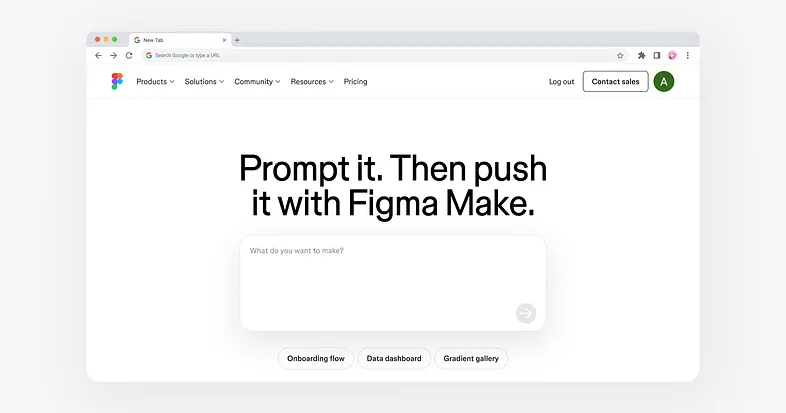
In my opinion, the apps and websites produced by Figma Make are quite good, although they need some improvements in the future. You can try it yourself.
Conclusion
AI is just a tool, and it’s evolving rapidly. Therefore, it’s crucial for us as designers to continually expand our skills to stay relevant and relevant to current technological developments. With proper and correct use, AI can simplify and increase the efficiency of our work as designers.
Never stop learning new things; don’t let yourself be left behind by the rapid development of AI.

Our awards & recognitions.














Ready to discuss your project with us?
Chat with Us